Recently Viewed Products
-
 Microsoft 365 E3 - Annually
₦256,320.00
Microsoft 365 E3 - Annually
₦256,320.00

Common Data Service Log Capacity
– Additional log data (audit / tracing) capacity for Dynamics 365 Customer Engagement Apps, PowerApps and any application that utilizes Microsoft’s Common Data Service for Apps. Each unit increases available tenant wide shared capacity by 1 GB.
Windows 365 Business 8 GB
NON-SPECIFIC - Windows 365 Business with Windows Hybrid Benefit is for smaller organizations that want a simple way to buy, deploy, and manage Cloud PCs, for up to 300 users on a Windows 10/11 Pro device. Windows Hybrid Benefit is a licensing benefit that helps reduce the cost of Windows 365 Business. With Windows Hybrid Benefit, you receive a discount of up to 16 percent on your Windows 365 subscription if you already use Windows 10/11 Pro on a device. Savings vary by Windows 365 Cloud PC configuration and region. With your Windows 365 Cloud PC, you can securely stream your Windows experience - including your personalized apps, content, and settings -- from the Microsoft cloud to any device.
Dynamics 365 Finance Attach to
– Attach user subscription offering for Dynamics 365 Finance. Requires qualifying Dynamics 365 base offer.
Windows 365 Business 8 vCPU,
NON-SPECIFIC - Windows 365 Business is for smaller organizations that want a simple way to buy, deploy, and manage Cloud PCs, for up to 300 users. With your Windows 365 Cloud PC, you can securely stream your Windows experience -- including your personalized apps, content, and settings -- from the Microsoft cloud to any device.
Sensor Data Intelligence Scenario Add-in
Dynamics 365 IOT Intelligence Add-on, includes entitlement to one scenario and ten machines.
Windows 365 Business 8 vCPU,
NON-SPECIFIC - Windows 365 Business with Windows Hybrid Benefit is for smaller organizations that want a simple way to buy, deploy, and manage Cloud PCs, for up to 300 users on a Windows 10/11 Pro device. Windows Hybrid Benefit is a licensing benefit that helps reduce the cost of Windows 365 Business. With Windows Hybrid Benefit, you receive a discount of up to 16 percent on your Windows 365 subscription if you already use Windows 10/11 Pro on a device. Savings vary by Windows 365 Cloud PC configuration and region. With your Windows 365 Cloud PC, you can securely stream your Windows experience - including your personalized apps, content, and settings -- from the Microsoft cloud to any device.
Basic Edge Scale Unit add-in
– Basic Edge Scale Unit base tier for Supply Chain Description Management, includes 200K transactions per month.
Dynamics 365 Supply Chain Management
Attach user subscription offering for Dynamics 365 Supply Chain Management. Requires qualifying Dynamics 365 base offer.
“Dynamics 365 Operations — Activity
User subscription that includes Dynamics 365 Operations Activity, Enterprise Edition.
Microsoft Stream Plan 2 for
Stream enables anyone to upload and share videos across their organization to improve communication, participation, and learning. Stream Plan 2 adds intelligent cognitive capabilities such as machine generated captions, text searching inside of a video, and rich analytics
Windows 365 Business 2 vCPU,
Windows 365 Business 2 NON-SPECIFIC - Windows 365 Business is for smaller organizations vCPU, 8 GB, 128 GB - that want a simple way to buy, deploy, and manage Cloud PCs, for Annually up to 300 users. With your Windows 365 Cloud PC, you can securely stream your Windows experience -- including your personalized apps, content, and settings -- from the Microsoft cloud to any device.
Dynamics 365 Fraud Protection Loss
Tenant level base subscription to Dynamics 365 Fraud Protection – Loss Prevention
Windows 365 Business 8 vCPU,
NON-SPECIFIC - Windows 365 Business is for smaller organizations that want a simple way to buy, deploy, and manage Cloud PCs, for up to 300 users. With your Windows 365 Cloud PC, you can securely stream your Windows experience -- including your personalized apps, content, and settings -- from the Microsoft cloud to any device.
“Windows 365 Enterprise 8
Windows 365 Enterprise is for organizations that want to manage their Cloud PCs with Microsoft Endpoint Manager and take advantage of integrations with other Microsoft services, including Azure Active Directory and Microsoft Defender for Endpoint. With your Windows 365 Cloud PC, you can securely stream your Windows experience – including your personalized apps, content, and […]
Dynamics 365 Customer Supply Chain
Microsoft Dynamics 365 is a product line of enterprise resource planning and customer relationship management applications announced by Microsoft in July 2016 and released on November 1, 2419
Dynamics 365 Field Service (36
User subscription that includes Dynamics 365 Field Service, Enterprise edition.
Dynamics 365 Commerce For AX
User subscription that includes Dynamics 365 Commerce, Enterprise Edition
Basic Edge Scale Unit add-
Basic Edge Scale Unit base tier for Supply Chain Management, includes 200K transactions per month.
Microsoft 365 Business Standard –
Best for businesses that need Office apps acrossdevices plus professional email, cloud file storage, and online meetings & chat. For businesses with up to 300 employees.
Dynamics 365 Field Service Attach
Attach user subscription offering for Dynamics 365 Field Service. Requires qualifying Dynamics 365 base offer.
Project Plan 1 Trial
An online project management solution to help keep your 0.00 projects, resources, and teams organized and on track. Plan projects, track status, and collaborate with others from virtually anywhere.”
Common Data Service Database Capacity
– Additional relational database capacity for Dynamics 365 Customer Engagement Apps, PowerApps and any application that utilizes Microsoft’s Common Data Service for Apps. Each unit increases available tenant wide shared capacity by 1 GB
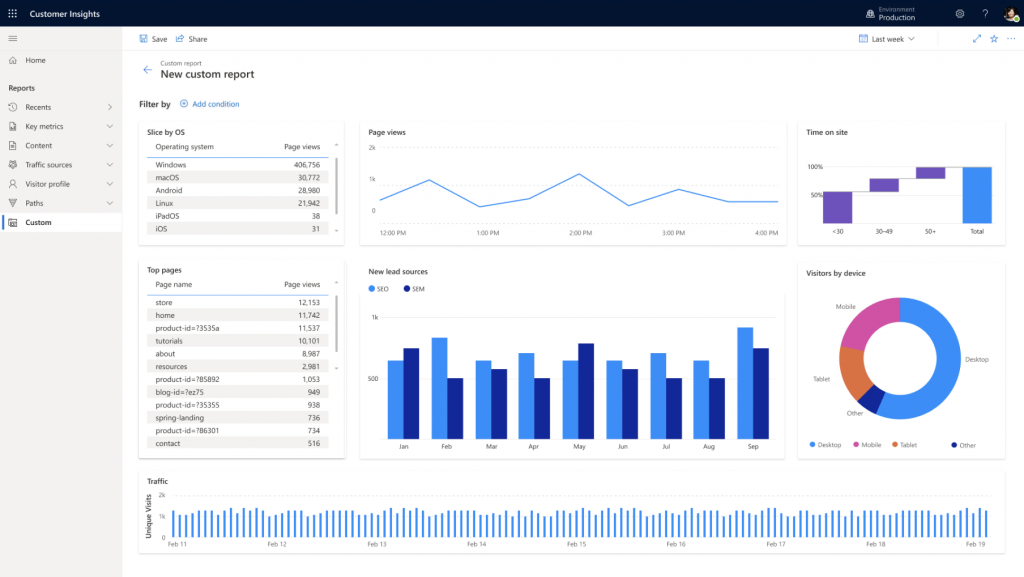
Dynamics 365 Customer Insights B2B
Leading customer data platform (CDP) with world-class AI and analytics. Includes 100,000 B2C profiles and 10,000 B2B accounts
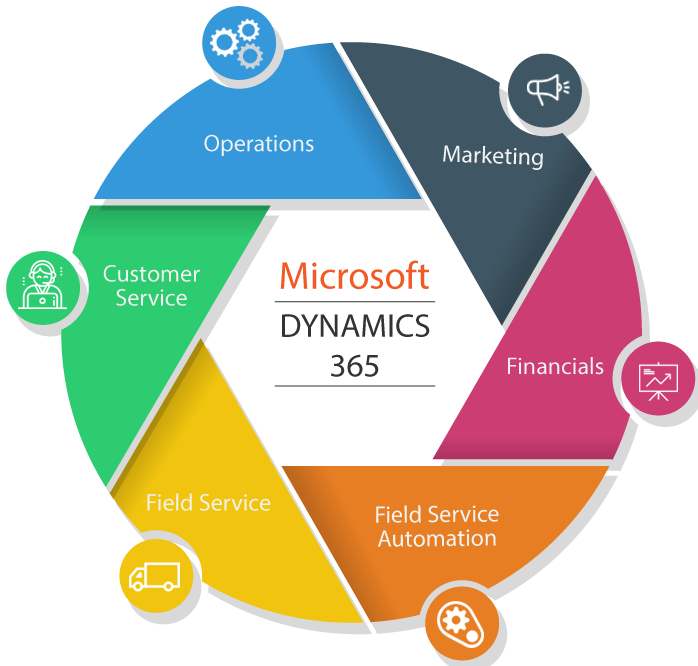
Dynamics 365
Microsoft Dynamics 365 is a cloud-based business applications platform that combines components of customer relationship management (CRM) and enterprise resource planning (ERP), along with productivity applications and artificial intelligence tools.